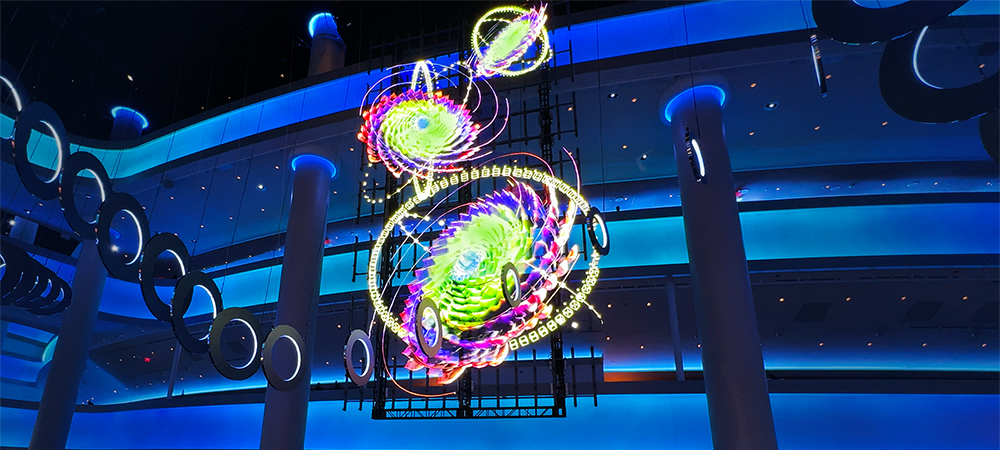
If you saw a floating, hologram-like image spinning at a trade show booth, it was most likely a 3D hologram fan, also called a Fan LED display. A hologram fan creates a floating-looking image with LED blades that rotate at high speed. At trade shows, gaming and anime conventions, product launches, and branded events, it usually works as a compact visual feature beside a product, character display, or entrance, where another rectangular screen would add bulk to the space.
The same hardware is also sold as a hologram fan display or LED fan display. Despite the name, it does not produce a true hologram. The image forms on a flat rotating plane, and the sense of depth comes from how the content is designed.
Whether a hologram fan suits a project depends less on the hardware than on placement, viewing angle, surrounding light, and the role the display plays in the space. The sections below cover each of those decisions.
What Is a 3D Hologram Fan (Fan LED Display)?
A 3D hologram fan is a rotating LED device that turns fast-moving rows of LEDs into one continuous image. LEDs mounted along each blade switch on and off at precise positions as the blades spin, and the eye blends those points of light into a complete picture.
This effect is known as persistence of vision. In a persistence-of-vision display, rotating LEDs are timed to their position so that separate points of light read as one continuous image. The Fan LED does not project anything into the air. The image forms on the plane of the spinning blades.
Commercial hologram fan units are circular and built to play looping visual content. When a project needs a larger display area, several units are synchronized into a tiled configuration, and the final layout depends on the hardware and content system in use.
Because the image forms on a flat plane, a Fan LED display reads best from the front. Content designed around the open, circular display area works better than footage made for a conventional 16:9 screen.
Where Do Hologram Fans Work Best at Events?
A hologram fan works best as a focused visual element near a product, booth entrance, character display, or photo area, where visitors approach from a predictable direction. Common uses include a rotating product render beside the physical product, a logo animation at the booth entrance, a character effect built into a prop, and a supporting feature next to a main LED wall. It is not designed to replace a main stage screen or carry presentation content.
Product Displays at Trade Shows
At a trade show, a hologram fan can sit beside a physical product and show a rotating render, an exploded view, or a short feature animation. With no rectangular frame behind the image, the visual carries less visual weight in the booth than a monitor of similar size.
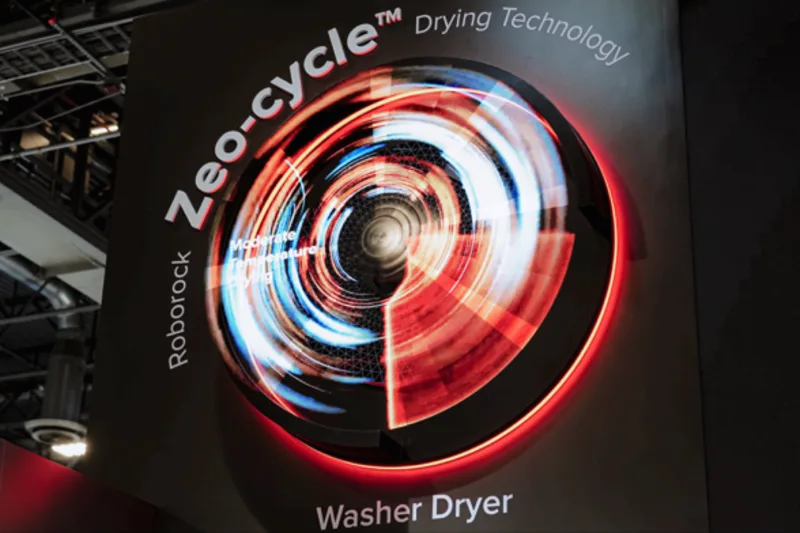
Roborock's CES 2025 booth in Las Vegas used this approach for its Zeo-cycle washer dryer. A circular Fan LED display was mounted high on a dark wall panel and framed with a red-lit ring, so the round display read as the washer door. The content showed a swirling drying cycle against a black background, with the product name printed on the panel around it.
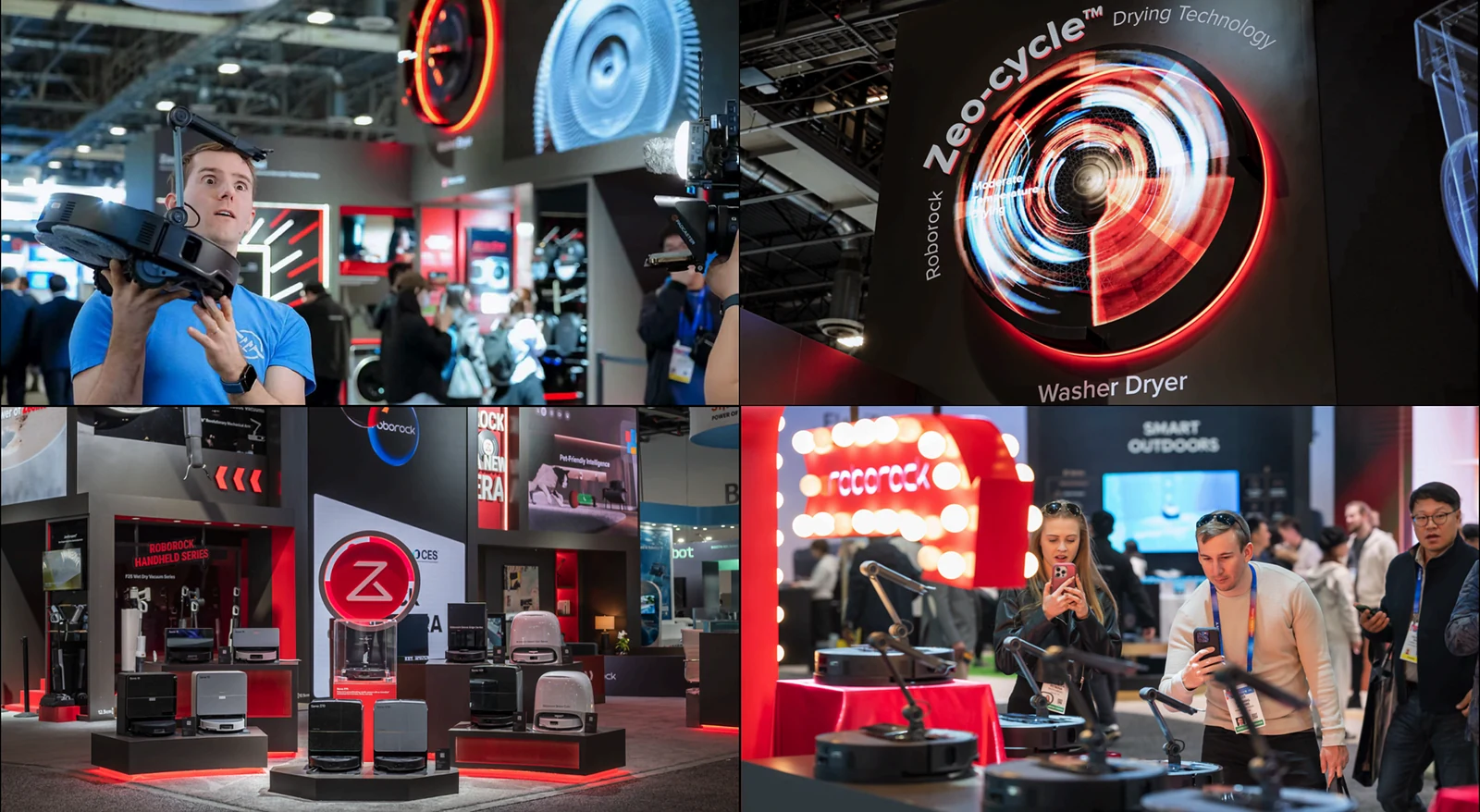
The setup reflects three choices that apply to most hologram fan projects. The display shape matched the product, the black background kept attention on the animation, and the mounting height kept the rotating blades out of reach. See the full Roborock CES 2025 exhibition case study.
Character Props at Gaming and Anime Conventions
A hologram fan can also be built into a prop instead of being mounted on a wall or display structure. At Anime Expo 2026 at the Los Angeles Convention Center, the Starforge Systems booth included a Frieren: Beyond Journey's End photo setup with a character staff as part of the scene. A Fan LED was built into the end of the handheld staff and displayed a blue magic-circle graphic.
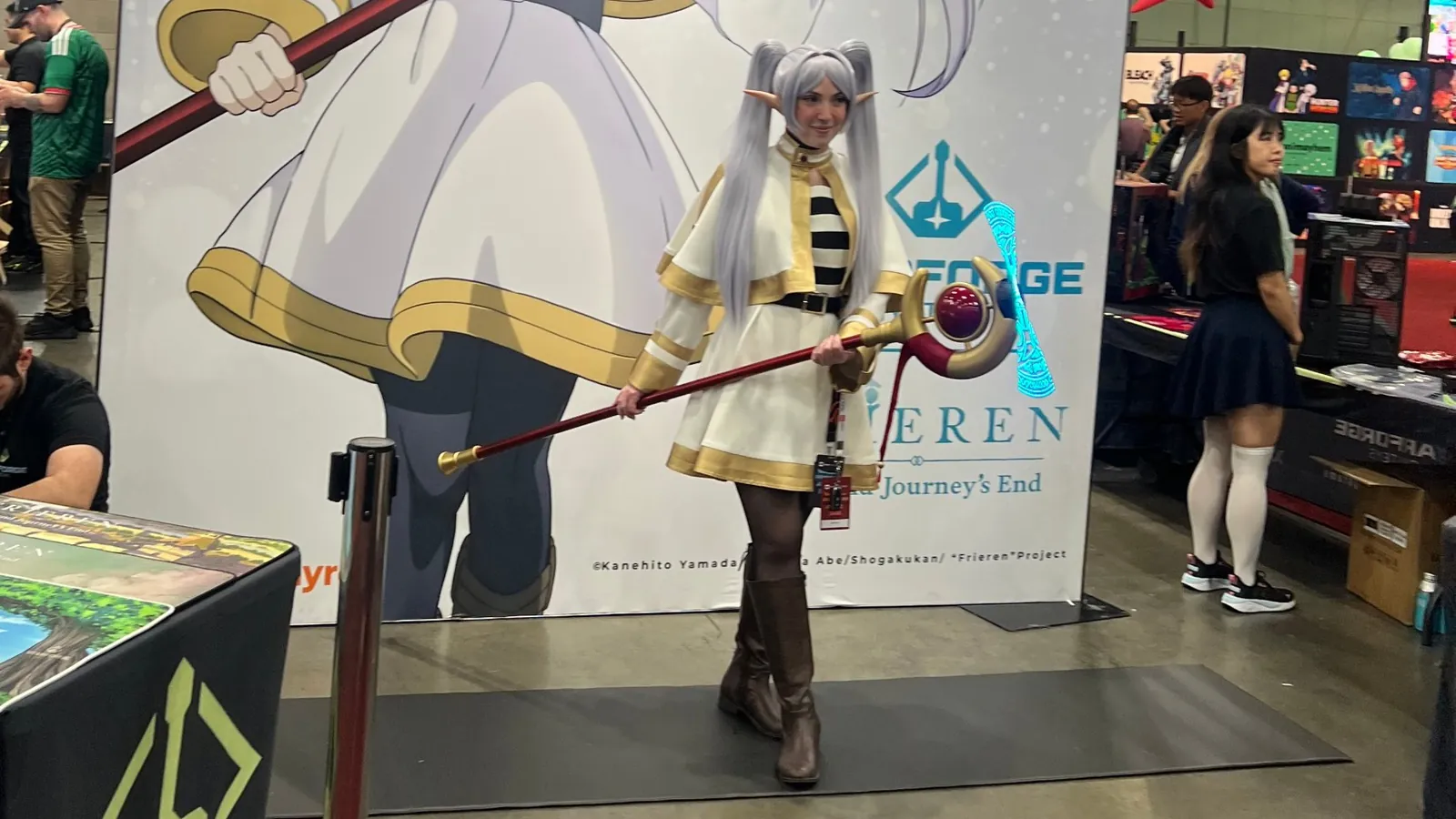
The photo and video from this booth also show a practical limitation. In the still photo, only a narrow arc of the magic circle is visible at the end of the staff, while the video shows the complete graphic. A camera with a fast shutter records only the LEDs that are lit during that brief exposure, so a single photo often captures part of the image rather than the full display.
Unlike the Roborock example, the display was part of a prop held within the photo setup rather than a fixed installation. This approach suits gaming shows, anime conventions, and other events built around characters or entertainment IP, where the graphic belongs to the character's visual language instead of reading as a separate screen. At TwitchCon 2023 in Las Vegas, Shure ran a slot-machine-style hologram game at its booth, giving attendees a chance to win new microphones and headphones.
What Content Works Best on a Hologram Fan?
Hologram fan content works best when it has one clear subject, strong contrast, and steady motion. Product renders, rotating objects, logo animations, characters, and short looping motion graphics suit the format. A simple graphic such as a magic circle also works when it has a clear role in the scene and is designed around the circular display. For its Valentine's 2025 collection with Ariana Grande, Swarovski placed hologram fan walls in storefront windows at Harrods and Galeries Lafayette, lining up a floating heart pendant with the same pendant in the 2D campaign image behind it.
The black areas of the file matter as much as the subject. LEDs assigned to black pixels stay off, so the blades in those areas are hard to see and the lit subject appears to float in the space. A product render on a pure black background uses this effect, while full-frame video lights the whole circle and makes the unit look like a round screen.
Detailed slides, long sentences, small type, and widescreen footage are poor fits. The circular display area crops the corners of a 16:9 frame, and fine text is harder to read than on a continuous LED surface.
Design the content for the selected unit rather than resizing an existing 16:9 asset at the end of production. Confirm the display size, file resolution, viewing distance, mounting position, and background before final animation work begins.
Hologram Fan vs. a Standard LED Screen
A hologram fan and a standard LED screen do different jobs, and many event spaces use both. A standard LED screen provides a continuous surface for presentations, brand films, live camera feeds, and text, while a Fan LED display highlights a product, prop, or single visual moment.
In a combined setup, a standard LED wall carries the main brand film and presentation content, and a Fan LED display gives a product zone, character display, or photo area its own visual role. For screen size, venue rules, playback, and installation on the main display, see our guide to LED screen rental for events.
What to Plan Before Renting a Hologram Fan for an Event
Before confirming a hologram fan rental, review the viewing position, lighting, mounting and safety, power and playback, and how the display will be captured on camera. Each one affects whether the floating effect reads clearly in the actual event environment.
Viewing Position and Lighting
The floating effect is clearest when visitors face the display plane. A product zone or photo setup where people naturally stand in front of the unit works better than a location with traffic from several directions, where the hardware is seen from the side. Bright or busy surroundings also make the blades and hub more visible and reduce contrast, so check the lighting plan and the background before finalizing the position.
Mounting and Safety
A hologram fan has blades rotating at high speed, so it needs secure mounting and enough physical clearance. Wall mounting above visitor reach, as in the Roborock example, is one approach. A prop-based application needs a separate review because the rotating unit sits closer to people and moves with the person holding it. For any setup that brings the unit within reach, confirm the hardware, mounting method, protective enclosure, and manufacturer safety instructions before the show opens.
Power, Playback, and Show-Site Logistics
Confirm power at each installation point, how content will be loaded and updated, and which playback method the selected hardware supports. A fixed wall installation and a Fan LED built into a prop need different approaches to power, cabling, access, and setup.
At convention centers, check the exhibitor manual for electrical services and any rules that apply to mounted, suspended, or powered display equipment. Build installation and content testing into the move-in schedule.
Capturing a Hologram Fan on Camera
Plan how you will capture the hologram fan on camera before the event. Still photos often show only part of the graphic because the camera exposure is shorter than the time the blades need to complete the image. For event recaps, social content, and case studies, shoot video or a continuous sequence of frames, and test the camera settings on site before the show opens. In a photo area, a sign or staff prompt suggesting video mode helps visitors capture the full effect.
How a Hologram Fan Fits Into a Specialty LED Setup
If you are looking for alternatives to a standard LED wall, a hologram fan is one of several formats for projects that need LED in a shape other than a flat rectangle. For larger curved or architectural surfaces, flexible dome LED builds a continuous display across non-standard geometry. For screens that physically move during an entrance or stage reveal, see what kinetic LED is and how it is staged.
Choose the format by the role the display plays in the space. A hologram fan suits a compact product feature or character effect, a curved or dome surface suits a larger enclosed view, and kinetic LED fits projects where the movement of the screen is part of the reveal. A hologram fan can also scale well beyond a single unit: the atrium at Sphere in Las Vegas uses a 15-meter wall built from 420 synchronized hologram displays.